- Work Productivity by Sanja Williams
- Posts
- 👩🏻💻 Unlocking Team Synergy: Collaborate, Create, Conquer
👩🏻💻 Unlocking Team Synergy: Collaborate, Create, Conquer
P.S. It requires a lot of effort.

Sanja Williams
October 29, 2023

Hi Team 👋
Hope you are all well. How's your work week been?
I am keen to hear about your work updates, new jobs and responsibilities, work challenges or projects you are working on. You can always respond to me by simply replying to this email or send me a message on LinkedIn.
🤔 Working effectively with our teams
Team collaboration and partnership way of working is something that has to be carefully approached, especially if your work depends on other teams as in you need them to do things that will also achieve your overall objectives.
This is even harder in larger organisations where you may have large teams who may work in isolation.
Step 1 - complete a stakeholder map (these are people and teams you need to be aware of and work with)
💡 Top tip - make sure they also know your role, scope and remit.
Step 2 - build relationship with their team leads, understand their commissioning or request process as your priorities may not be their priorities.
💡Too tip - give as much notice as possible if you will need their teams to help you and let them know what is going on in your business area.
Step 3 - keep them updated on a regular basis and consult, especially if there are any changes required to what was originally requested.
💡Top tip - never say something will be done to your business stakeholders until you have double checked it can actually be delivered to avoid conflict
Step 4 - try to include relevant leads into your projects. They will be grateful they have a say in decision making and it will save you a lot of time in terms of updates as they can update their teams.
💡 Top tip - if they cannot do it, ask them to nominate their team for development and opportunity.
p.s this requires a lot of effort and energy to coordinate it all, but it’s worth investing into it properly and what can be achieved together.
What else has worked for you?

🧰 Work Tools
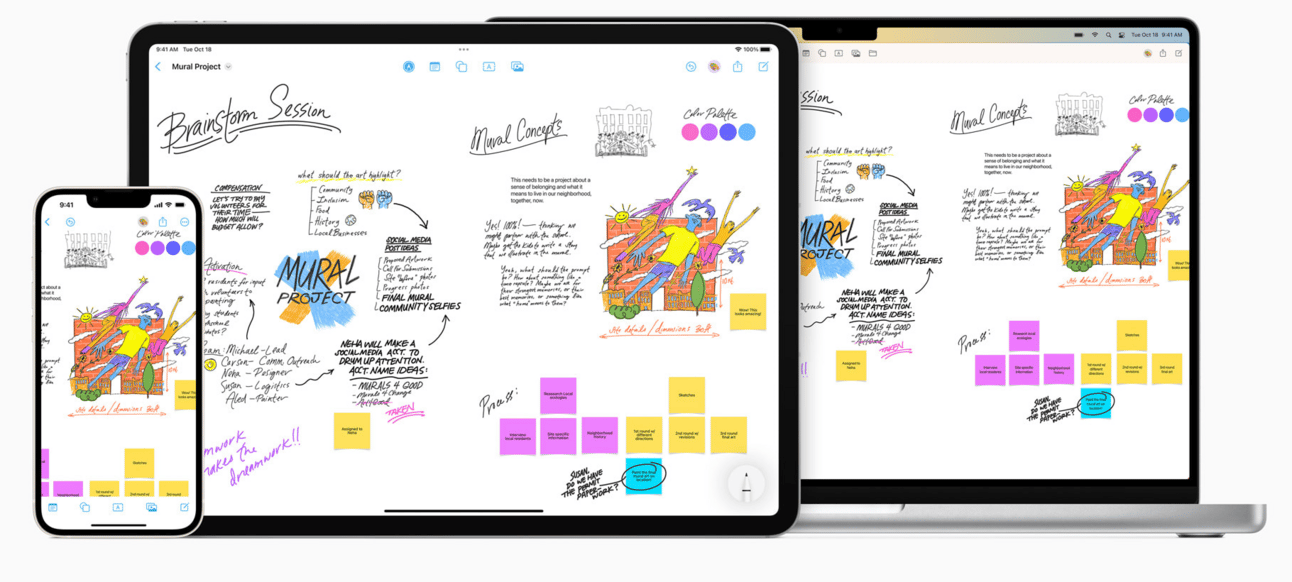
Freeform is one of my favourite creative apps to use. It is a great place to bring your ideas to life. Sketch out a project, design a mood board or start a brainstorming session on a flexible canvas that supports almost any kind of file.
p.s. This is a Mac/iPhone/iPad only app.
Until next Sunday, best wishes
P.S. Please see below if you are new here
🧰 Notion - productivity app
Have you heard of Notion? Notion is a productivity app. Your wiki, docs,
& projects. Together. Notion is the connected workspace where
better, faster work happens. Now with AI.
You can use it on your phone, laptop and computer. All connected, so if you update something on your phone it is automatically updated on all devices.
I will be using this app to share various tools with you I create from time to time. I suggest you download it and register, it is free to get started.
If new to Notion, start from here.
📝 Personal Work Performance Review
As a thank you for subscribing, please download a Personal Work Performance Review Notion template. I created this long time ago and improved over time.
December performance reviews at work are coming up slowly but surely so it is best to be ready.
🤔 How does it work?
→ You simply click on it; it will take you to a webpage.
→ Then find where it says duplicate (usually the right hand corner), click on it and it will duplicate it to your Notion workspace. Simple and easy.
→ You can then continue to edit, adapt and use